TL;DR: UX vs UI in 30 Seconds
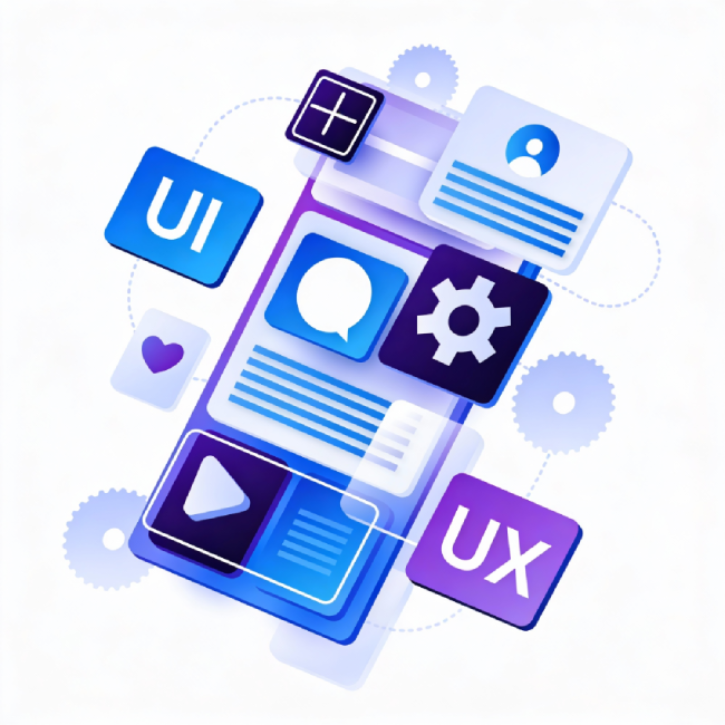
- UX (User Experience) design focuses on how a product feels to use, the complete journey from first visit to final action.
- UI (User Interface) design focuses on how a product looks, the visual elements users see and interact with.
Think of UX as the blueprint; UI as the visual finish. Both are essential: UX ensures your website works well, UI ensures it looks professional. For most website projects, you need both working together.
What is UX Design?
User experience design is about understanding what users need and creating solutions that help them achieve their goals with minimal friction. It’s research-driven, strategic, and focused on the entire user journey, meaning fewer surprises and less rework during development.
A UX designer asks: “What problem are we solving? Who are we solving it for? How do users currently behave? What’s stopping them from completing their goals?”
What UX designers actually do
- User research: Interviews, surveys, and analysis to understand audience needs
- Information architecture: Structuring content so users can find what they need
- User flows: Mapping the steps users take to complete tasks
- Wireframing: Low-fidelity layouts showing page structure and hierarchy
- Prototyping: Interactive mockups for testing before development
- Usability testing: Observing real users to identify problems
Key UX deliverables
At the end of a UX phase, you’ll typically receive:
- Personas and user journey maps
- Sitemap, detailing site architecture and navigation structure
- Wireframes for key page templates
- Interactive prototypes
- Usability test findings and recommendations
If you’re starting a website project and want to understand what’s involved, a UX audit can identify where your current site is failing users before any design work begins.
What is UI Design?
User interface design is about the visual and interactive elements users see and interact with. It takes the structural decisions made in UX and brings them to life with colour, typography, imagery, and micro-interactions.
A UI designer asks: “How should this button look? What colour palette represents this brand? How do we make this interaction feel satisfying? Is this design accessible to all users?”
What UI Designers actually do
- Visual design: Colour schemes, typography, spacing, and imagery
- Component design: Buttons, forms, cards, navigation elements
- Design systems: Reusable patterns that ensure consistency across the site
- Interaction design: Hover states, animations, transitions
- Responsive layouts: Adapting designs for mobile, tablet, and desktop
- Accessibility compliance: Ensuring designs meet WCAG 2.1 standards so all users can use your site effectively
Key UI deliverables
At the end of a UI phase, you’ll typically receive:
- High-fidelity mockups for all page templates
- A design system or component library
- Responsive variations for different screen sizes
- Interaction specifications for developers
- Asset exports (icons, images, graphics)
Our UI design work builds on solid UX foundations to create interfaces that look professional and convert visitors into customers.
UX vs UI: The key differences
| Aspect | UX Design | UI Design |
|---|---|---|
| Focus | How it works | How it looks |
| Primary concern | User goals and journeys | Visual presentation and interaction |
| Key question | “Is this usable?” | “Is this visually appealing?” |
| Deliverables | Wireframes, prototypes, user flows | Mockups, design systems, assets |
| Skills | Research, psychology, information architecture |
Visual design, typography, colour theory |
| When it happens | Earlier in the project | After UX decisions are made |
The disciplines overlap, and in smaller teams, one person might do both. But they require different skills and mindsets. Treating them as interchangeable leads to wasted budgets and rework.
Why this confusion costs businesses money
We regularly see projects where the client asked for “UI design” but actually needed UX work first. The result? Beautiful mockups that don’t solve user problems.
The “beautiful but broken” problem: A site can look stunning in mockups but fail completely when real users try to accomplish tasks. Without user research and testing, you’re guessing at what works. We’ve worked with businesses whose visually impressive sites had very low conversion rates, not because the design was ugly, but because the user journey was flawed.
The rework trap: It’s widely accepted in software development that catching problems early is significantly cheaper than fixing them later. Changing a wireframe takes minutes; rebuilding navigation in code after launch takes days or weeks. When UX is skipped, problems surface during development or after launch, exactly when they’re most expensive to fix.
The conversion gap: Many businesses have visually impressive websites that don’t convert. The issue is rarely the visual design, it’s usually information architecture, user flows, or content hierarchy. That’s UX territory.
A proper discovery phase with usability testing catches these issues before a single line of code is written.
When do you need UX, UI, or both?
You’ve invested in a website that looks professional, but enquiries have dropped. Visitors land and browse, but leave without taking action. If that sounds familiar, you’re not alone. The answer usually lies in understanding what UX and UI each solve.
You need UX design if:
- You’re building a new website from scratch
- Users aren’t converting and you don’t know why
- Your site has grown organically and navigation is confusing
- You’re redesigning with different goals than the original site
- You want to validate ideas before investing in development
You need UI design if:
- You have validated wireframes and user flows ready
- You’re refreshing visual design without changing functionality
- You need to establish or update brand guidelines for web
- You’re building a design system for ongoing work
You need both if:
- You’re undertaking a significant website redesign
- You’re creating a new digital product or application
- Your current site has both usability and visual problems
- You want the best chance of success (this is most projects)
For most user experience design projects, the two phases work together. UX sets the direction whilst UI executes it visually.
Briefing an Agency on UX and UI
When approaching an agency for website work, being clear about what you need saves time and budget.
Be specific about your problems: “Our homepage bounce rate is 70%” is more useful than “we need better UX.” Data helps agencies understand scope.
Share what you know about users: Any existing research, analytics, or customer feedback helps UX designers start from evidence rather than assumptions.
Don’t prescribe solutions: “We need a burger menu” skips the UX question of whether that’s the right navigation pattern for your users. Share the problem; let designers propose solutions.
Ask about process: Good agencies will explain how they approach UX and UI, what deliverables you’ll receive, and how they test assumptions. If they skip straight to visual mockups, ask why.
Understand the phases: UX typically happens in discovery and design phases. UI follows once structure is validated. Rushing to UI before UX is complete causes rework.
SoBold’s approach to UX and UI Design
As a WordPress development agency, we see how UX and UI decisions directly impact build complexity and cost. A navigation structure that looks simple in wireframes might require significant custom development to implement.
We’ve delivered UX and UI work for organisations across finance, healthcare, and legal services, teams who need websites that work as hard as they do. Our design team works alongside our developers and strategic SEO team from day one, so technical constraints inform design decisions early rather than causing surprises later.
Whether you need a UX audit of your existing site, a complete redesign with research and testing, or UI refinements to an established structure, we can help scope the right approach for your project.
Have questions about UX and UI for your next project? Book a free consultation to discuss your project with our team. We’ll help you understand what you need and provide a clear scope, no obligation.

Ready to discuss your project?
Let’s talk